The Guided Workflow medication workflow system enables enforced, step-by-step preparation.
If you missed our latest PharmacyKeeper webinar, you can view the recording
here!
Since Guided Workflow was introduced, it now includes:
The ability to prepare patient, batch, and stock solution compounds both gravimetrically and volumetrically.
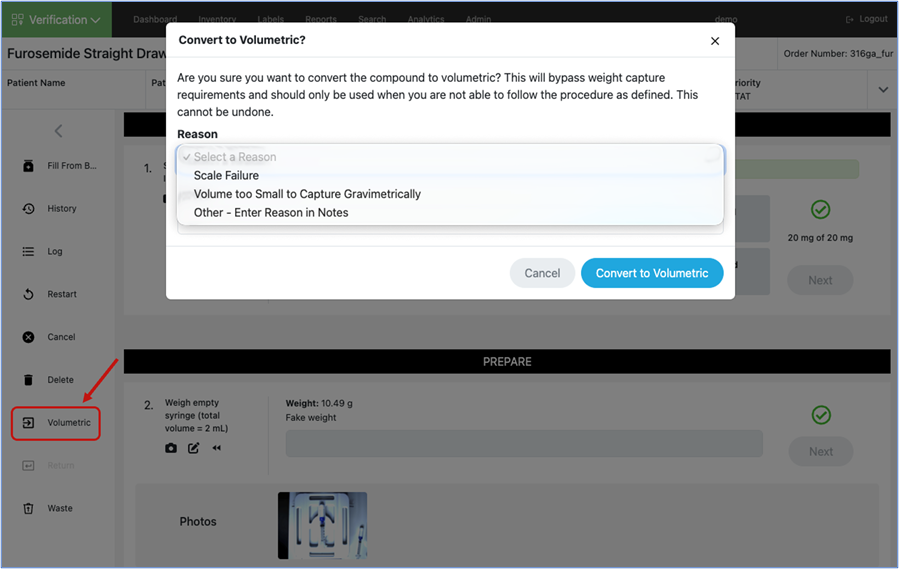
An option to convert from a gravimetric to volumetric process as needed.
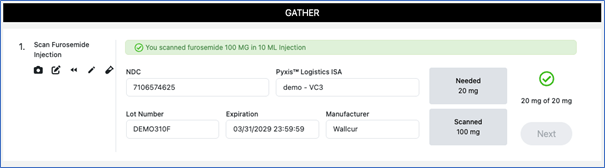
An integration with BD's Pyxis™ Logistics (PLX) which allows for information on inventory utilized during compounding in BD Pyxis™ PharmacyKeeper™ to automatically be reflected in BD Pyxis™ Logistics.
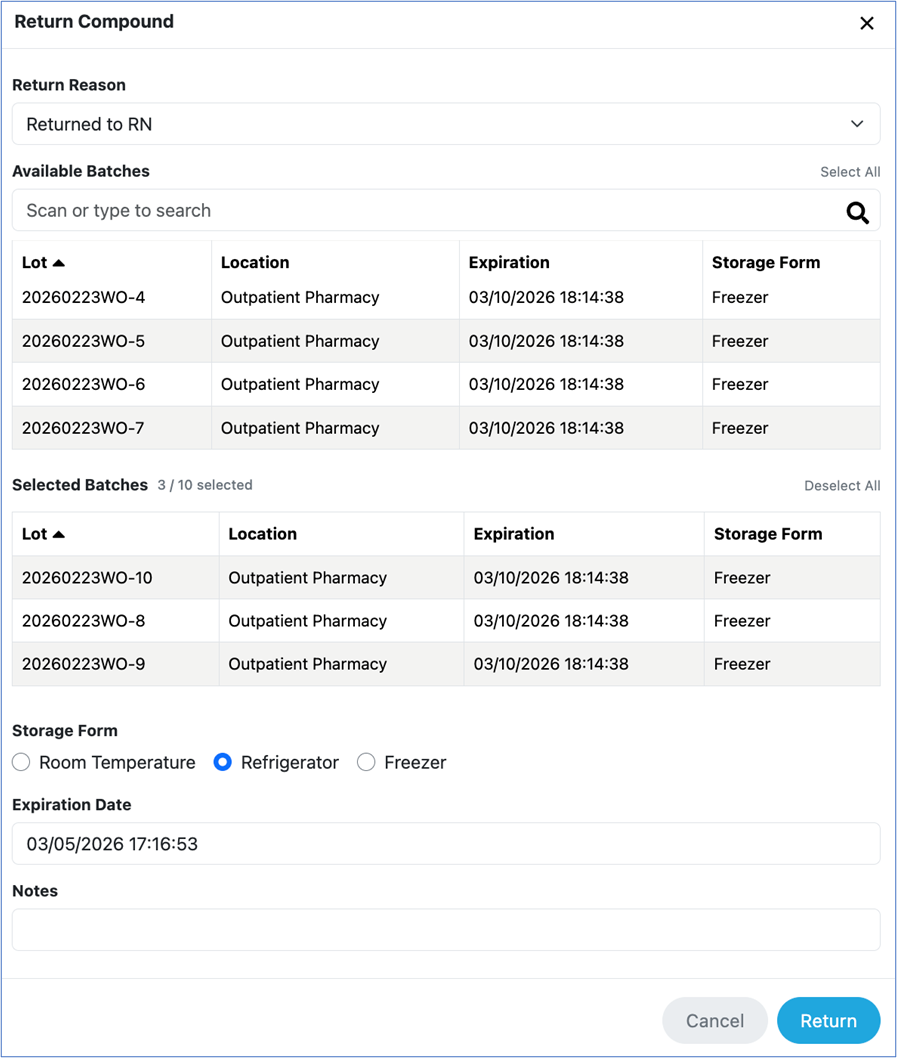
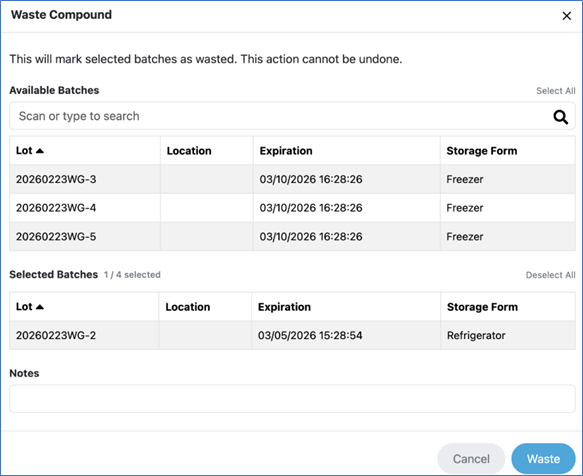
New! The ability to document and track returned compounds and compound waste.
New! The ability to automatically identify when there is a remainder in a partially used medication and track any subsequent use of that medication.
If the needed dose is exceeded, you are able to create a remainder from that component and can utilize the remainder in either the same or subsequent compounds.
Utilizing a remainder in the same compound:
Creation of a remainder to use in subsequent compounds:
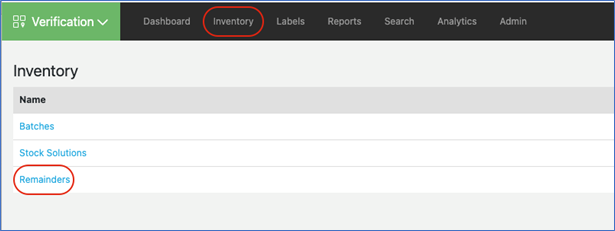
The Inventory page provides the ability to view and edit stock solutions, batches, and remainders created in the system.
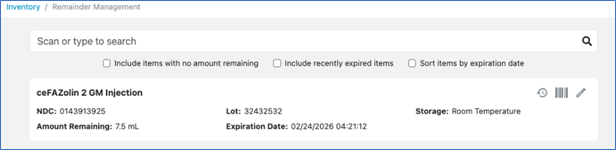
All available remainders created from Single and Multi-Dose Vials will display:
*Guided Workflow Verification is an optional offering through a separate sales engagement, request a demo from your BD sales representative
here!
Verification
Enhancements
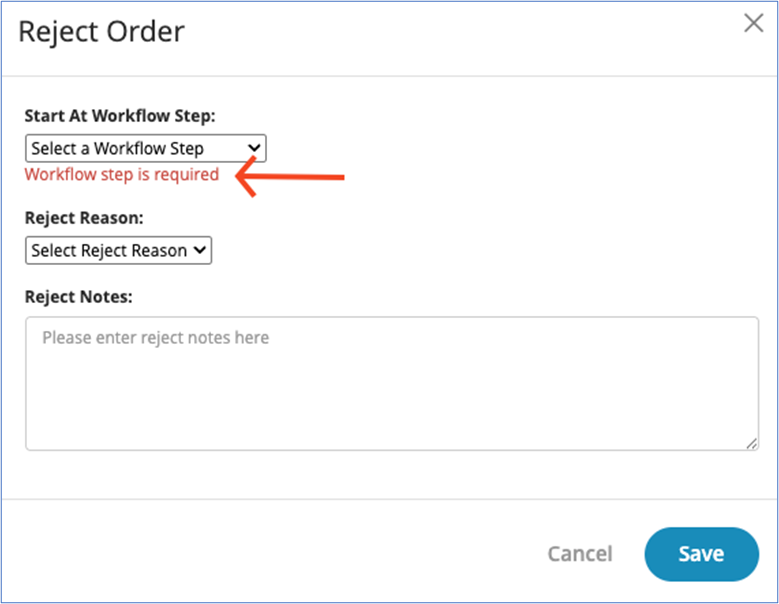
Added the ability to require a workflow step upon rejecting a compound.
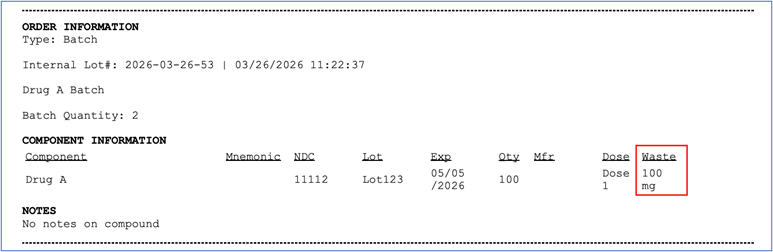
Added waste information to compound log.
Bug Fixes
Fixed issue where photo preview Accept and Discard buttons were not appearing when compound locking was enabled.
Fixed issue where tethered scanners were adding a "]E" when adding barcodes to the Item Dictionary in some cases.
Fixed issue where quotation mark characters within a drug name would lead to an error page.
Removed the Save button within the text editor section of the Compound Instructions within recipes to prevent admins from receiving the error page.
Fixed issue where the quantity field was no longer editable after prepare steps.
Activities
Bug Fixes
Fixed issue when performing a sequential sampling activity where marking N/A on the Sampling Initiation prompted a message to input the Sample Date/Time and Time Placed in Incubator.
Inspections
Bug Fixes
Fixed issue where Inspection Templates could be saved without a template name.
If you have any questions, please contact our Support Team at
support@medkeeper.com or (877) 812-0100.
You received this email because you are subscribed to our mailing list/newsletter.
To manage your subscription, please click here / To Unsubscribe please click here